
The Wedding Seating Chart App That Lives in Your Browser
No download. No install. Works on iPhone, Android, and desktop — free to start.
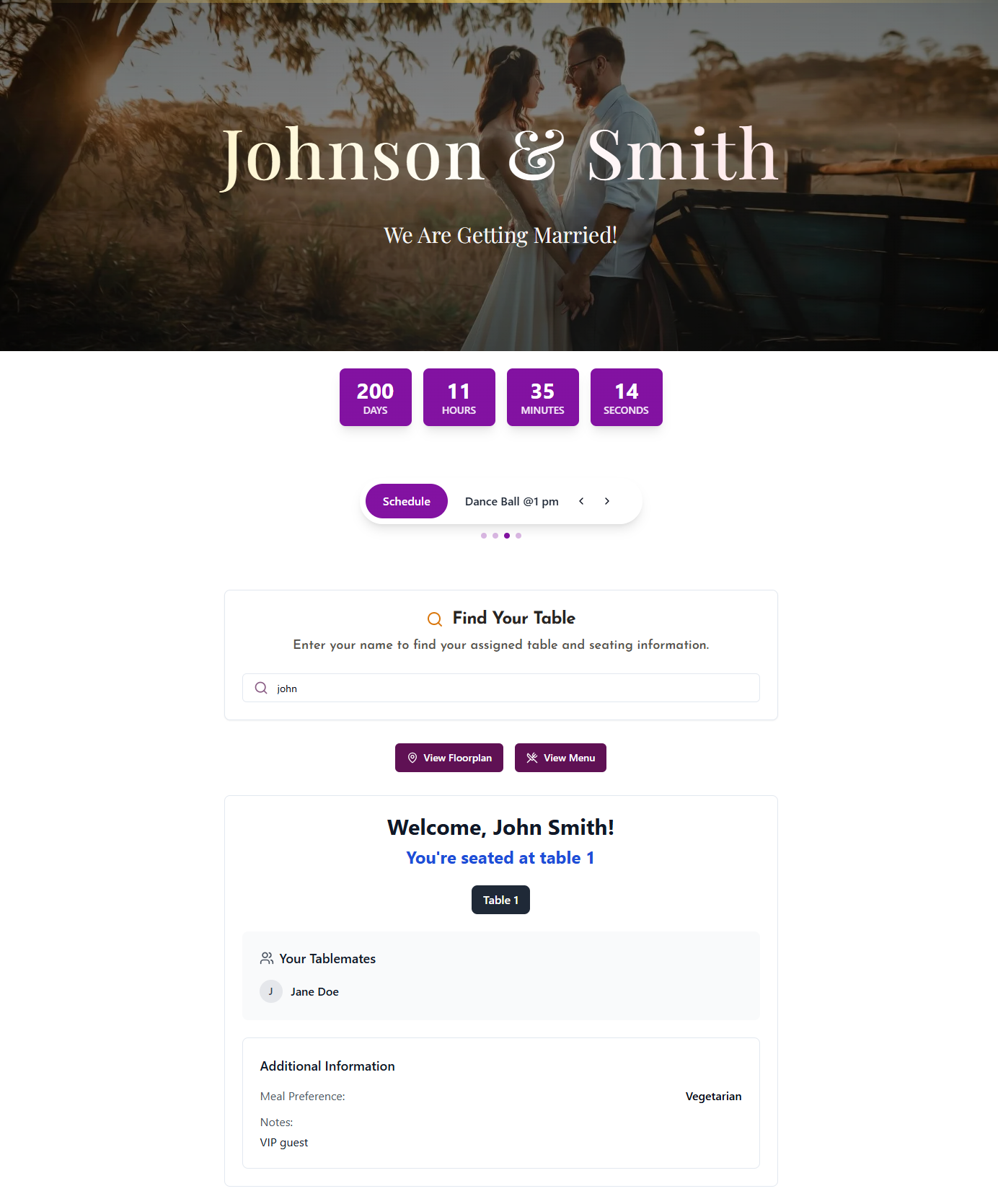
What your guests see when they scan the QR code — on any phone, no app required.
Why DigiSeats Is the Best Wedding Seating Chart App
Most wedding seating chart apps ask your guests to download something or stare at a giant printed board. DigiSeats does neither.
100% web-based
Opens in any browser. No app store, no install, no storage taken on your phone.
QR code sharing
Print one QR code on a card or sign — every guest scans and finds their seat.
Real-time updates
Change a seat at 8 PM and your 8:01 PM guest sees the new assignment instantly.
Free to start
Build your chart, test it on your phone, share it — without paying a cent.
How to Use the Wedding Seating Chart App — Step by Step
From sign-up to scannable QR code in under 10 minutes.
Create your free account
Sign up in seconds — no credit card, no app download.
Name your event and add guest count
Enter your wedding date, venue, and approximate guest count to set up your chart.
Add guest names and assign tables
Upload your guest list (CSV) or add names manually, then drag-and-drop them onto tables.
Share the QR code or access link
Print the QR on signage at the venue or include the link in digital invites. Guests scan and find their seat instantly.
App Features Built for Wedding Day Reality
Because seating changes happen at the rehearsal dinner, not three months out.
Unlimited seating changes
Move guests anytime — even mid-reception.
Mobile-optimized guest view
Fast, thumb-friendly screen built for tiny venue Wi-Fi.
Real-time sync
You, your partner, and your planner edit the same chart live.
QR code + shareable link
Two ways to share — pick whichever fits your event style.
Up to 500+ guests
From elopement to ballroom wedding — scales to any guest count on paid plans.
Any device, any OS
iPhone, Android, iPad, laptop, hotel-lobby kiosk — all work.
Free Wedding Seating Chart App — What You Get at No Cost
We don't hide a paywall behind your wedding stress. Here's exactly what's free, forever.
- Full digital seating chart builder
- Drag-and-drop table layout
- Guest list import
- Shareable access link
- Mobile guest view
- Unlimited edits before your event
What Couples Say About DigiSeats
"We swapped a $200 printed board for a QR card on the welcome table. Nobody asked where their seat was — first wedding I've been to where that happened."
"I changed seating twice on the day-of when family drama hit. Took me 45 seconds on my phone. The app just… worked."
"Our planner, my partner and I all edited the chart at the same time. Real-time sync sounds boring until you actually need it."
DigiSeats vs. Other Wedding Seating Apps
A quick honest comparison.
| Feature | DigiSeats | AllSeated | Canva | Spreadsheet |
|---|---|---|---|---|
| No download required | ||||
| QR code for guests | ||||
| Free plan available | ||||
| Mobile guest view | ||||
| Real-time edits |