
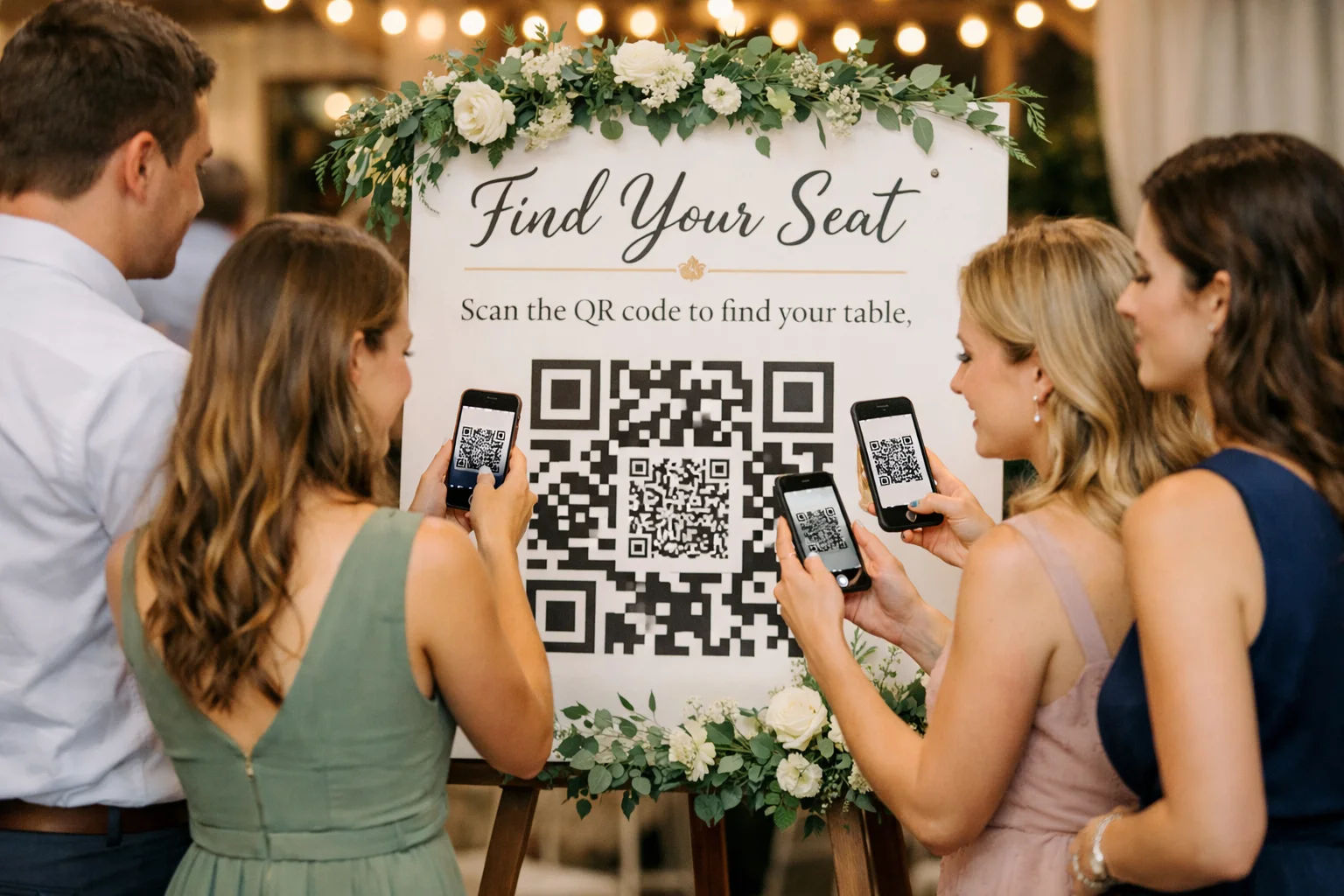
Digital Seating Chart vs Traditional Seating Chart
A seating chart seems simple until the first wave of guests arrives. Traditional seating boards and escort cards can look elegant, but they often create crowding, confusion, and last-minute stress when real life changes the plan. A digital seating chart solves those problems by giving guests a fast, mobile-friendly way to find their seats and giving organizers the ability to update seating instantly.
What is a Traditional Seating Chart?
A traditional seating chart is any static, printed, or handwritten method that tells guests where to sit. These methods are familiar and can be styled to match an event's aesthetic, but they are fundamentally fixed.
Common Traditional Formats
Seating Boards: Large printed displays near the entrance.
Escort Cards: Individual cards arranged alphabetically on a table.
Place Cards: Cards at each seat used in conjunction with a master list.
Staff Spreadsheets: Printed lists managed by check-in personnel.
The primary drawback is that traditional charts are static. Once printed, every guest name and table number becomes difficult to change without messy manual edits.
What is a Digital Seating Chart?
A digital seating chart is a mobile-friendly seating lookup system that guests can access instantly on their phones. DigiSeats is built around this concept, utilizing a QR code that opens a guest-facing page in a mobile browser—no app required.
How DigiSeats Works
Guests scan a code, search for their name, and view their seating details in seconds. Meanwhile, organizers receive backend login access to manage the guest list and make updates in real time, ensuring the plan remains responsive to the realities of event day.
Digital vs. Traditional: The Core Differences
1. Entrance Flow and Speed
Traditional charts often create a bottleneck as guests cluster around a single board. Digital seating charts spread the search out, putting the information directly into the guests' hands.
For example, Sarah and Mike hosted 240 guests and saw a massive "semi-circle" clog their doorway with a printed board. By switching to a QR-based system for a later event, the entrance stayed clear as guests scanned while walking.
2. Handling Last-Minute Changes
Events are unpredictable. Whether a guest cancels, a plus-one appears, or a VIP needs a specific seat, traditional charts require crossing out names or reprinting materials.
With DigiSeats, updates are reflected immediately. When a planner named Aisha had to change seating for two executives 20 minutes before a corporate dinner, she simply updated the dashboard, and the entry team had the new data instantly.
3. Guest Confidence and Privacy
Digital charts reduce interruptions. Guests like David, who might struggle to find a name on a small printed list, can self-serve via their phone. Additionally, tools like Anonymous View protect the privacy of high-profile attendees by minimizing public list visibility.
Beyond Seating: The Digital Event Hub
A traditional chart answers one question: "Where is my seat?" A digital seating chart, specifically through DigiSeats Extended, serves as a comprehensive event hub.
Event Timers: Countdown to the main program.
Visual Aids: Floorplan and menu uploads.
Schedules: A digital timeline to answer "When does dinner start?"
Branding: Custom photo backgrounds for a polished look.
By providing more than just a table number, you reduce the number of repetitive questions asked of your volunteers and staff.
The Hidden Costs of Paper
While printing may seem like a one-time expense, the hidden costs include reprints, staff time, and timeline delays. Digital solutions offer a more efficient alternative with tiered packages to fit any scale:
Free Package: Up to 50 guests for small gatherings.
Standard Package: Up to 500 guests for typical weddings and galas.
Extended Package: Up to 1,000+ guests with real-time check-in tracking and CSV data exports.
Best Practices for Event Success
To maximize the effectiveness of a digital seating chart, consider these strategies:
Visibility: Place QR codes at the entrance, the bar, and the lobby.
Support: Assign one helper to assist guests who are less tech-savvy.
Redundancy: Keep a small printed backup list at the check-in desk for edge cases.
Engagement: Upload your menu and schedule early to encourage guest adoption.
Need Help or Have a Question?
If you have specific questions or need assistance with your event setup, please contact our support team at info@digiseats.com for personalized guidance.